Set up a workflow that needs only one approval
You can make a workflow require only one approval by using a workflow template with a single step and setting that step’s gate completion rule to ANY. That rule means one assigned group member approving completes the step.
Before you start
- You must be signed in.
- You need
workflows.createto create a workflow template. - You need
workflows.updateto replace the steps on an existing template. - You need
approvals.createto create a group. - You need the relevant group permission to add members to a group; the records show this is checked through
_assert_group_permission. approvals.createandworkflows.createare hierarchical permissions, and a grant at the target node or any ancestor of it can satisfy them.
Steps
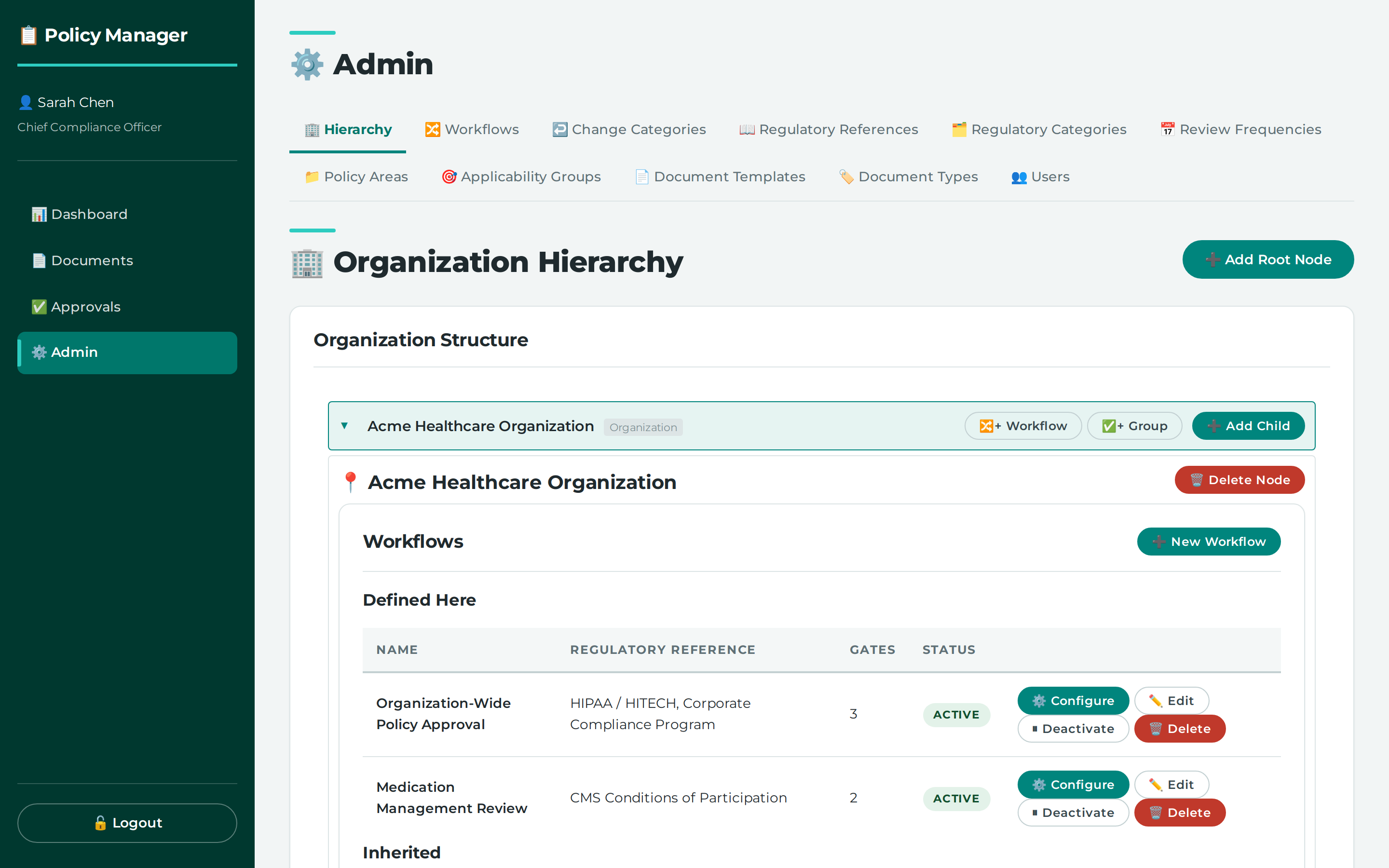
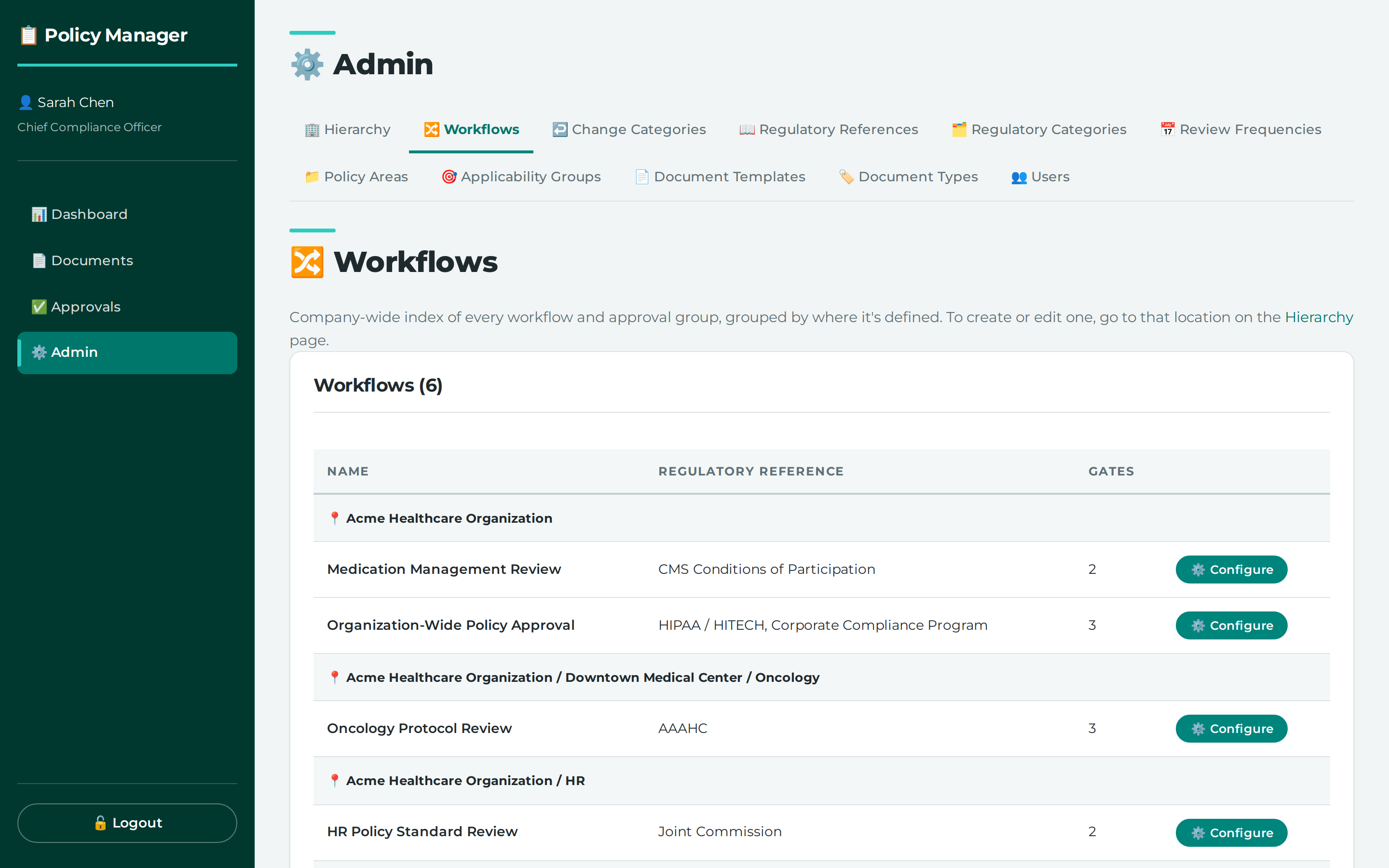
- Open Admin > Workflows.
- Create a workflow template if you do not already have one.
- Set the template to have a single step.
- Set that step’s gate completion rule to
ANY. - Assign the approver group for that step.
- Add the people who should be able to approve to that group.
What this does
A one-gate workflow is not a special mode; it is a template with a single step. With ANY, the step completes as soon as one assigned group member approves.
With ALL, every active assigned group member must approve. That means a two-member committee under ALL is not a single-approver setup.
The records also show that being on the committee is what gives someone authority over that gate. Holding approvals.approve org-wide does not place a person on a committee they are not a member of.
Common problems
- If the step is set to
ALL, the workflow will wait for every active assigned group member, not just one. - If you add the same person to a group again after removing them, the application reactivates the existing row rather than creating a second one. This preserves audit history and keeps there being at most one active row per person per group.
Where this lives
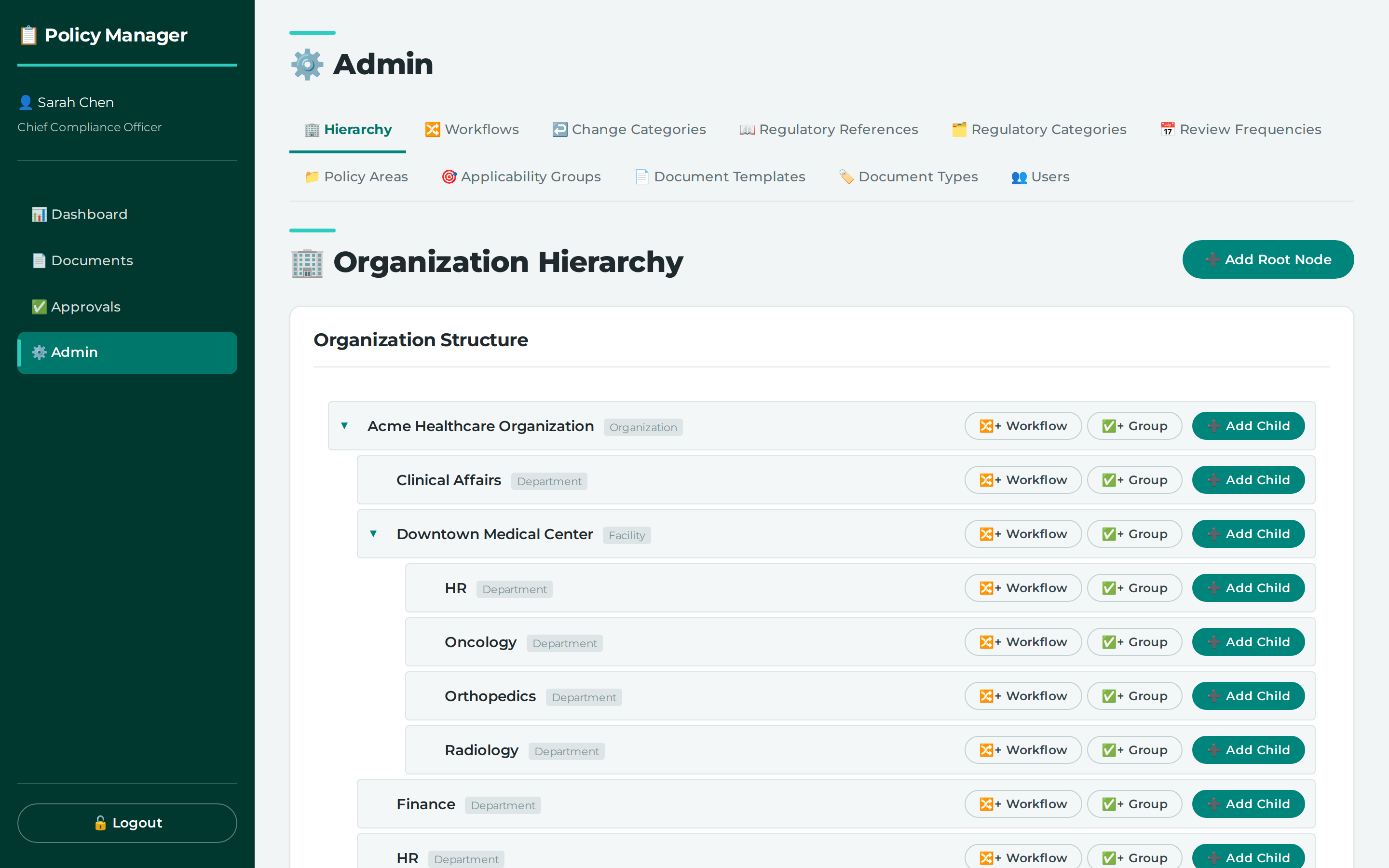
- ⚙️ Admin → 🏢 Hierarchy —
/admin/hierarchy - ⚙️ Admin → 🔀 Workflows —
/admin/workflows
Permissions you need
| Permission | How it can be granted |
|---|---|
approvals.create (Add) |
a grant at the target node or any ancestor of it |
workflows.create (Add) |
a grant at the target node or any ancestor of it |
workflows.update (Edit) |
a grant at the target node or any ancestor of it |
Screenshots
Workflows and committees are created from a hierarchy node, not from a separate screen
Selecting a node reveals what is defined there and what it inherits
Every workflow in the organization, grouped by the node that owns it
Reference
Settings and values referred to above:
- all (gate completion rule) — every active assigned group member must approve
- any (gate completion rule) — any one assigned group member approving completes the step
API calls behind this task
- `POST /api/workflows/groups` - `POST /api/workflows/groups/{group_id}/members` - `POST /api/workflows/templates` - `PUT /api/workflows/templates/{template_id}/steps`Didn't find your answer here? Tell us what was missing — it becomes a tracked suggestion.