Change a policy that is already published
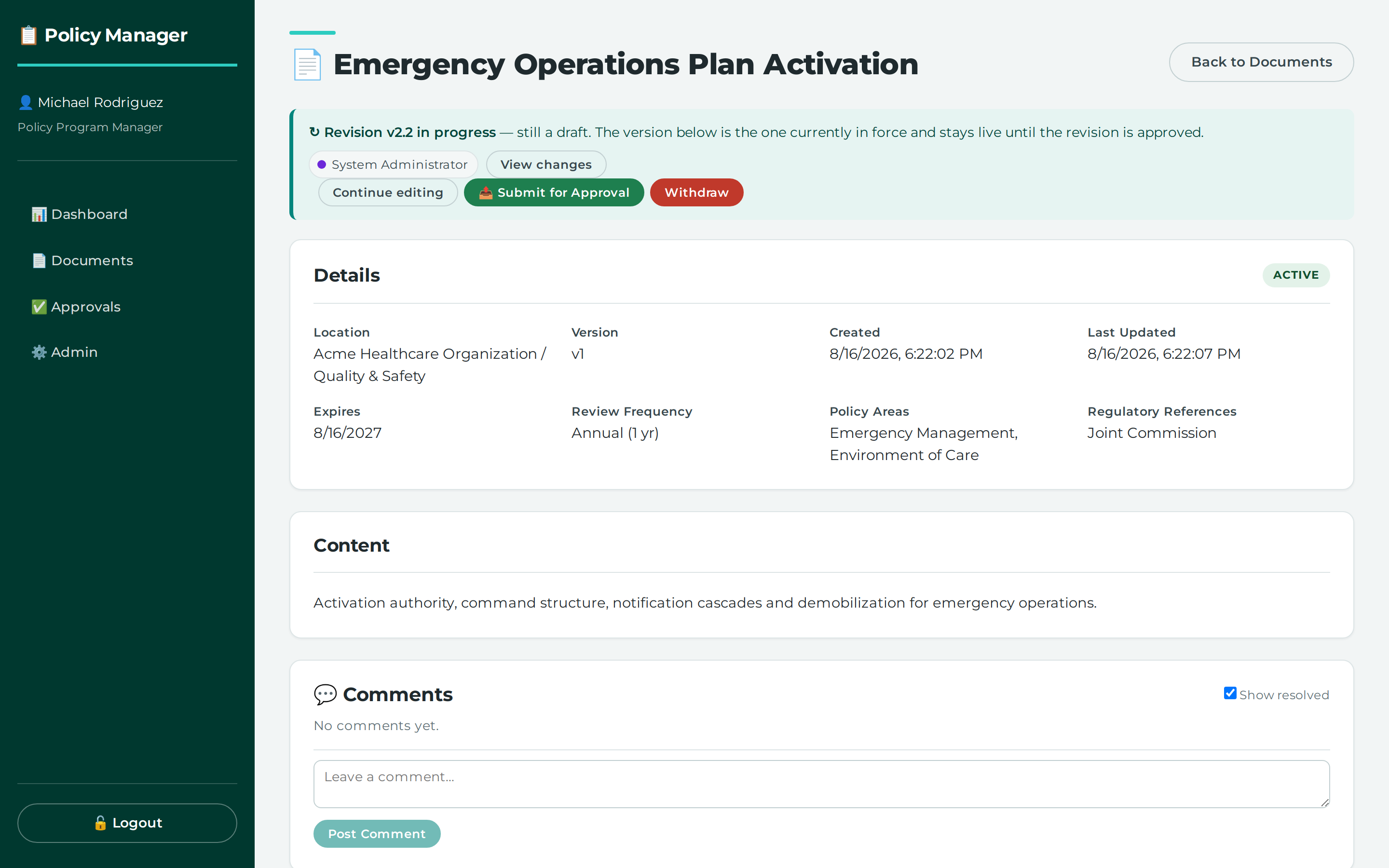
You can change a policy that is already approved and published by opening a revision of the live document, editing that revision, and then sending the proposal for approval. While you do this, the published policy stays active and keeps serving readers.
Before you start
- You must be signed in.
- You need
documents.updatepermission to open, edit, submit, or convert a revision. documents.updateis hierarchical, so a grant at the target node or any ancestor of it can satisfy it.- The policy must already be live and active for this revision-based edit flow to apply.
Steps
- Open the published policy in
DocumentViewPage. - Open a revision of the live document.
- Edit the revision in
RevisionEditPage. - Save your changes to the revision.
- Submit the revision for approval.
If you are working from a periodic review and changes are needed, convert the review to a revision first, then edit and submit it.
What this does
Opening a revision creates an exact copy of the live document. The document stays ACTIVE and keeps serving its published version; opening a revision proposes a change, it does not make one.
Editing a revision appends a DocumentVersion snapshot, which preserves what was approved at each stage. Submitting the revision for approval moves only the proposal to pending approval; it does not change document.status.
A periodic review is for re-confirming the policy and is usually unchanged. It carries no version number until you explicitly convert it to a revision.
Common problems
- A never-published draft is not edited through revisions. The records say that a published document stays
ACTIVEwhile a revision runs against it, which is a different flow from a document that has never been published. - If you are looking at a periodic review and need to make changes, conversion is explicit. The records do not say that changes are inferred automatically from the review content.
Where this lives
/documents/:id— no menu entry; you reach DocumentViewPage by following a link from another screen/documents/:id/revisions/:revisionId— no menu entry; you reach RevisionViewPage by following a link from another screen/documents/:id/revisions/:revisionId/edit— no menu entry; you reach RevisionEditPage by following a link from another screen
Permissions you need
| Permission | How it can be granted |
|---|---|
documents.read (Read) |
a grant at the target node or any ancestor of it |
documents.update (Edit) |
a grant at the target node or any ancestor of it |
Screenshots
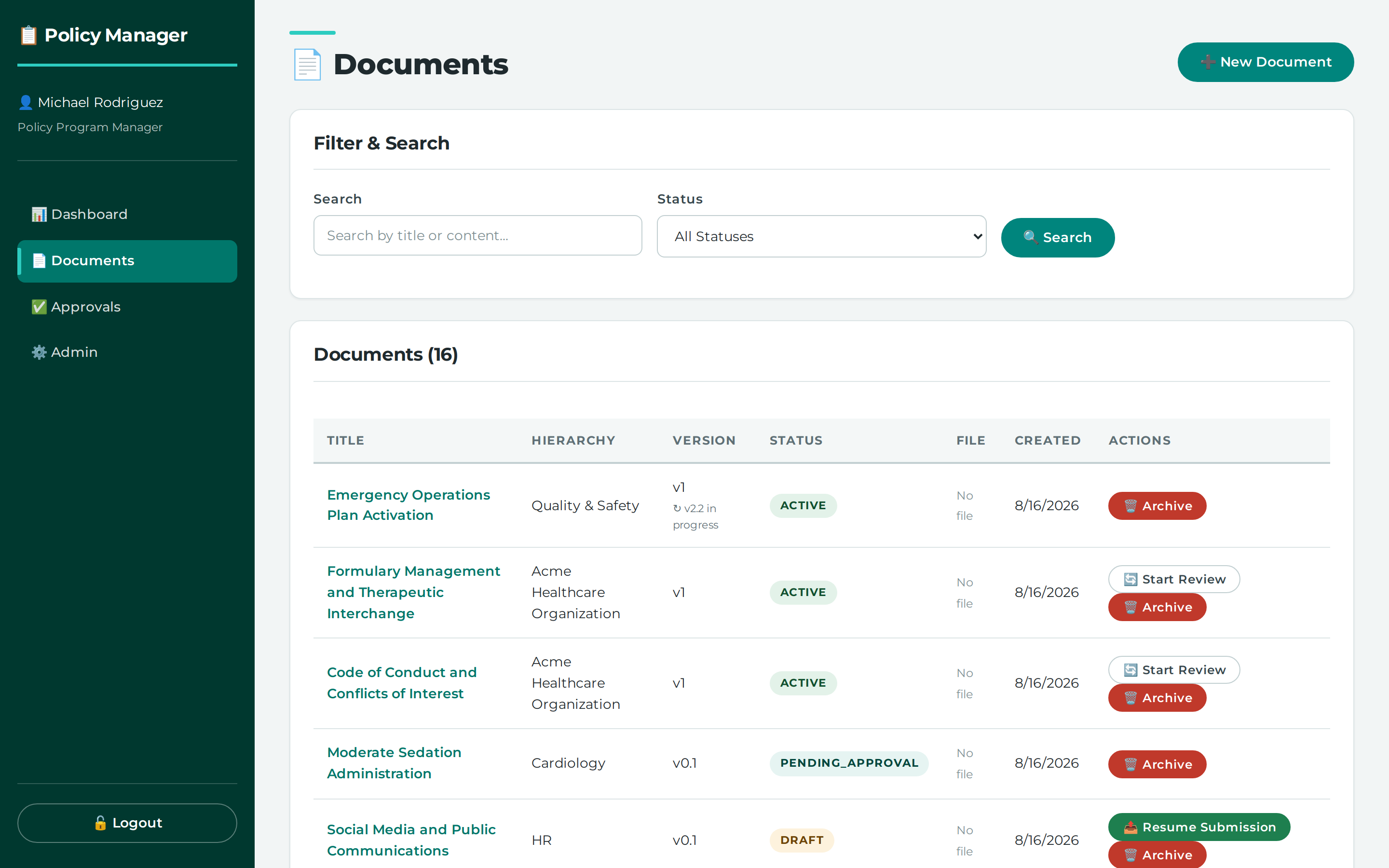
Find the published policy you want to change
A published policy is read-only until a revision is opened
Reference
Settings and values referred to above:
- active (document status)
- draft (document status)
- periodic_review (revision purpose) — re-confirming it, usually unchanged
- revision (revision purpose) — proposing a change to the policy
API calls behind this task
- `POST /api/documents/{doc_id}/revisions` - `GET /api/documents/{doc_id}/revisions/current` - `PUT /api/documents/{doc_id}/revisions/{revision_id}` - `POST /api/documents/{doc_id}/revisions/{revision_id}/convert-to-revision` - `GET /api/documents/{doc_id}/revisions/{revision_id}/redline` - `POST /api/workflows/revisions/{revision_id}/submit`Didn't find your answer here? Tell us what was missing — it becomes a tracked suggestion.